Zangi - Private Messenger
- 4.2
- Rating
- 50.00M
- Installs
- Free
- Price

 Analysis by App-foxy
When I need to contact someone without turning a simple conversation into a permanent stream of notifications, shared media, and account clutter, I look for a messenger that stays focused. Zangi Private Messenger is built around that situation. It is a free communication app from Secret Phone, Inc, and its appeal is easy to understand: private conversations, quick exchanges, and less visible residue than I usually associate with mainstream social messengers.
I tested it with a practical question in mind rather than a marketing one: can it handle the path from deciding to message someone, through sending text and media, to keeping the conversation manageable afterward? My answer is mostly yes, especially when privacy and a lightweight communication style matter more than a huge ecosystem of extras. It is not automatically the best replacement for every messenger, though. The people you want to reach still need to use it, and that affects the entire experience.
From a private need to a usable conversation
The starting condition for using Zangi is usually clear. Perhaps I want to speak with a friend about something personal, coordinate with a family member while traveling, or keep a work-related conversation separate from my ordinary social accounts. In those cases, I do not necessarily need public feeds, channels, games, shopping tools, or a large collection of social features. I need a direct line that feels intentional.
You May Also Like

 Blood Strike: 2.5 Anniversary
Blood Strike’s Loadouts Turn Every Drop Into a Tactical Gamble
A close look at Blood Strike’s custom loadouts: how fast access to signature weapons reshapes its battle royale rhythm, rewards preparation, and narrows the gap between fights.

 Pandora - Music & Podcasts
Pandora’s Music Is Easy to Start, but Harder to Recover
Pandora’s strength is its low-effort path from a seed to a station. Its weak spot is how much confidence it asks you to place in connection, setup, and quiet recovery.

 8 Ball Pool
 Is Built on Rivalries, Rematches, and Routine
A close look at the rivalries, rematches, shared routines, and unanswered safety questions that turn a quick pool match into a persistent mobile community.

 Samsung Music
’s Quiet Strength Is Playing What You Already Own
Its reach comes less from spectacle than from dependable access to a personal library. That simplicity is both the app’s strongest retention engine and its ceiling.

 AccuWeather: Weather Radar
AccuWeather Review: A Quick, Clear Forecast for Everyday Decisions
For everyday plans, the best forecast is the one you can understand quickly. AccuWeather makes rain timing, radar, and local conditions easy to act on, with a few trade-offs.

 Hill Climb Racing
Why Hill Climb Racing Still Turns Crashes Into One More Run
A tiny car, a bumpy hill and one more upgrade: Hill Climb Racing keeps resurfacing because its simple chaos makes every near-miss feel personal.
More From Our News Desk



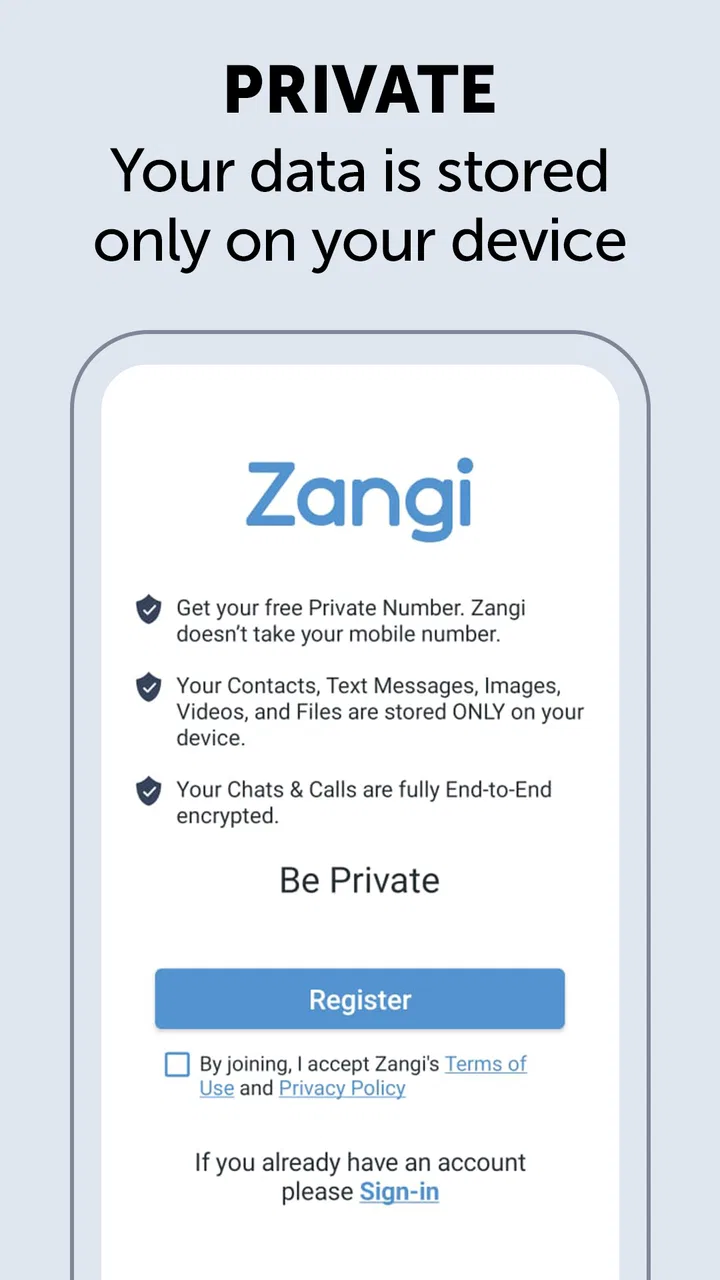
The app’s store summary presents the idea in three short promises: privacy, no trace, and speed. I treat those as the design direction rather than a reason to assume that every privacy concern disappears. A private messenger can still require sensible habits from the person using it. I would avoid sending sensitive information casually, keep my device protected, and make sure the recipient is the person I intended to contact. The app can support a careful workflow, but it cannot replace careful judgment.
Installation is aimed at a broad audience. The app is rated for Everyone, works from Android 6.0 onward, and its current version is 6.4.5. That makes it accessible on older Android phones that may not run newer communication apps comfortably. I appreciate that practical angle because privacy-focused software is less useful if it demands a recent, expensive phone before someone can join the conversation.
Its reach is also substantial: Zangi has passed 50 million installs and holds a 4.2 average from around 229 thousand ratings. Those figures do not guarantee that it will fit my particular contacts, but they do make it easier to imagine finding people who already know the service. The app has been available since November 18, 2014, so it is not a brand-new experiment that appeared yesterday and immediately asks me to trust it with my conversations.
Setting up the first contact
The first useful test is not sending a message to myself; it is reaching a real person who is not already invested in the app. This is where Zangi behaves like most alternative messengers. The conversation is only as convenient as the handoff between two people. If my friend already uses it, the transition is straightforward. If not, I have to explain why I am asking them to install another communication app instead of using the messenger they already open every day.
That explanation is easier when the reason is specific. I would recommend Zangi to a contact who values a quieter, more private channel, not to someone who wants every friend, group, sticker collection, and social update in one place. A focused app is an advantage for the first person and an inconvenience for the second. The decision should be based on the conversation, not simply on the fact that the app is free.
Once both people are ready, I prefer to decide in advance what the channel is for. A one-to-one conversation about travel details has different needs from a long-running family group or a customer-support thread. Zangi makes more sense when I want to create a direct route for a defined purpose. That mindset reduces the chance that the app becomes just another inbox demanding attention.
Sending the message and checking the handoff
The core flow is familiar: choose the contact, write the message, and send it. That familiarity matters because an app centered on privacy should not make ordinary communication feel like a technical project. In my use, the strongest benefit is the sense that the conversation is deliberate rather than mixed into a broader social platform.
I pay attention to the handoff at this point. Did the recipient receive the message? Do they know which app to open? Are they replying in the same place, or will they return to the usual messenger out of habit? These questions sound simple, but they determine whether Zangi becomes a useful channel or an abandoned installation. The app can make sending easy; it cannot force a contact to remember a second inbox.
For an everyday scenario, imagine arranging a late airport pickup with a relative. I can use Zangi for the address, arrival update, and a quick change of plans without placing the exchange inside a public-facing social account. The useful outcome is not a dramatic feature demonstration. It is a small, contained conversation that both people understand. If the relative rarely checks Zangi, however, the same workflow becomes worse than using the messenger they already monitor.
That is one of the app’s important trade-offs. Its private positioning may encourage me to separate conversations by purpose, but separation creates friction. I have to remember where I started the conversation, and the other person has to do the same. For close contacts who agree on that arrangement, the separation is valuable. For casual contacts, it may be too much effort.
Moving beyond text without losing control
Communication rarely stays at text. A conversation may move to a photo, a voice exchange, or another shared item, depending on what the people involved need. Zangi is more appealing when I want those interactions to remain inside the same private communication context instead of jumping between a standard messenger, a social network, and a separate calling tool.
My practical advice is to begin with the smallest useful exchange. Send a short message first, confirm that the recipient is in the correct conversation, and only then move to more personal material. This is a simple but important privacy workflow: the handoff is verified before the content becomes more sensitive. It also prevents the common mistake of sending a file or image to the wrong contact in a crowded messaging app.
The app’s promise of speed is relevant here, but speed should not be confused with reliability in every situation. A fast interface is helpful when I am coordinating something time-sensitive, yet the real result depends on the network, the recipient’s attention, and the device at each end. I would not use any messenger as the sole plan for an emergency. For ordinary coordination, though, keeping the exchange in one focused app can reduce the number of places I need to check.
Another non-obvious strength is psychological rather than technical: a separate private messenger can make me more conscious of the audience for a conversation. On a large social platform, it is easy to treat messaging as another extension of a public identity. In Zangi, the act of opening a dedicated communication tool reinforces that I am speaking directly to a particular person. That does not create privacy by itself, but it encourages better habits.
Handling the handoffs between people and devices
Most communication failures happen at handoffs. I may start the conversation on my phone, expect a reply later, and assume the other person knows where to find it. A family member may switch devices, reinstall an app, or simply forget which messenger we chose. These moments are more important than the first message because they determine whether the channel survives beyond a single exchange.
I would establish a simple rule with regular contacts: use Zangi for conversations that we have intentionally moved there, and say so clearly when sending the first invitation. That avoids the awkward situation where one person replies in the usual app while the other waits in Zangi. It also makes the app a tool rather than a vague promise of better privacy.
The developer, Secret Phone, Inc, has positioned the product around private communication, so I expect users to care about how much conversation history and account activity remain visible. I still recommend reading the app’s current privacy and account information before relying on it for highly sensitive work. The store summary is concise, and a slogan cannot answer every practical question about retention, recovery, identity checks, or what happens when a device is lost. A careful user should verify those details inside the current app experience and its documentation.
This is also where Zangi may not suit someone who needs a formal business archive. A company that must preserve messages, manage compliance, connect conversations to workplace systems, or administer many users may be better served by a business communication platform designed for those responsibilities. Zangi’s focused personal-messaging approach is more attractive when the goal is private contact, not institutional record keeping.
What the completed workflow feels like
When the workflow succeeds, the result is pleasantly uncomplicated. I decide that a conversation deserves a more private, direct setting, invite the contact, confirm that we are both in the same place, exchange the necessary messages or media, and leave the conversation there. The app’s value comes from reducing the distance between intention and action.
That makes it useful for several kinds of people. I can see it working well for friends who prefer keeping personal conversations away from larger social platforms, relatives who want a straightforward private channel, and travelers who need direct coordination without building a public profile around every interaction. It may also suit people using older Android hardware, since the minimum operating system requirement is not limited to recent phones.
The free entry point helps with adoption, but the app also includes in-app purchases ranging from $1.49 to $59.99 per item. I would not install it assuming that every optional part of the experience will remain free forever. Before paying, I would identify exactly what the purchase changes and whether that change matters to my communication habits. A free download is useful for testing the workflow with a willing contact; it is not a reason to buy features automatically.
The app’s age rating of Everyone also makes it approachable for a broad household, but that label should not be mistaken for a complete privacy tutorial. Parents and less technical users may still need help understanding invitations, device security, and the difference between a private conversation and a completely risk-free one. The best result comes when the person on the other end understands the same boundaries.
Where the flow breaks down
The biggest break occurs before the conversation starts: the recipient may not want another messenger. This is not a minor inconvenience. Communication apps depend on network effects, and the usual alternatives often win simply because everyone is already there. If my entire contact list uses one mainstream service, Zangi becomes a specialist channel rather than a universal replacement.
The second break is fragmentation. I may enjoy separating private conversations from ordinary social messaging, but I now have another inbox to check. If I do not open it regularly, I can miss a reply. People who want one unified history across every contact should think carefully before switching. Zangi’s focused nature is its selling point and its limitation at the same time.
The third break is expectation management. Phrases such as “no trace” can make users imagine that nothing can ever be recovered, copied, photographed, or exposed. A recipient can still capture information in another way, and a compromised device can undermine good intentions. I would use Zangi as one layer in a sensible privacy routine, alongside a screen lock, careful contact selection, software updates, and restraint about what I send.
There is also a comparison issue. A mainstream messenger is usually better when I need broad compatibility, large established groups, rich integrations, or the confidence that a casual contact will see my message. A privacy-oriented specialist is better when the purpose of the conversation matters more than having every social feature in one place. I would choose Zangi for the latter situation, not because it replaces every alternative, but because it gives me a more intentional route.
My recommendation after using it
My final view is favorable, with a clear condition: Zangi Private Messenger is worth trying when both sides genuinely want a private, focused communication channel. Its free access, broad device support, long availability, and large install base make testing it easy. The 4.2 average from roughly 229 thousand ratings suggests that many users find the overall experience worthwhile, though I would still judge it by my own contacts and workflow rather than by popularity alone.
I would recommend it to a friend who says, “I want a separate place for personal conversations, and the people I message will actually use it.” I would not recommend it as the only messenger for someone whose priority is reaching everyone, managing large communities, or keeping a complete work archive. In those cases, the familiar alternative may be more practical even if it feels less private.
The smartest way to start is small: install it, invite one trusted contact, send a low-risk message, and see whether both people remember to return to the same channel. Then test the handoff with a photo or a short coordination task before relying on it for anything important. That process reveals the real strengths and weaknesses faster than reading a feature list.
My bottom line: Zangi is most convincing when privacy is a deliberate choice rather than a vague preference. It gives me a clean path from a private need to a direct conversation, but the outcome depends on recipient adoption, sensible expectations, and willingness to maintain one more communication channel. If those conditions fit your daily life, it is a credible alternative to the usual messengers and a useful addition to an Android communication toolkit.
FAQs for Zangi - Private Messenger
01What makes Zangi Private Messenger different from other messaging apps?
Zangi Private Messenger sets itself apart with its strong focus on privacy and security. Unlike many other messaging apps, Zangi does not store messages on external servers, ensuring your data remains confidential. It also offers end-to-end encryption, protecting your conversations from unauthorized access, and doesn't require your phone number for registration.
02Does Zangi Private Messenger support multimedia sharing?
Yes, Zangi Private Messenger supports multimedia sharing, allowing users to send photos, videos, and voice messages. The app compresses files to maintain quality while minimizing data usage, which is especially useful for users with limited data plans or slow internet connections.
03Can I make voice and video calls with Zangi Private Messenger?
Absolutely, Zangi offers high-quality voice and video calling features. The app is designed to work smoothly even on low bandwidth networks, ensuring clear and uninterrupted communication. This makes it an excellent choice for users in areas with unreliable internet connections.
04Is Zangi Private Messenger available for both Android and iOS devices?
Yes, Zangi Private Messenger is available for download on both Android and iOS platforms. This cross-platform compatibility allows users to communicate seamlessly across different devices. The app is regularly updated to ensure compatibility with the latest operating systems and devices.
05How does Zangi Private Messenger handle data usage?
Zangi is optimized for low data usage, making it ideal for users with limited data plans. It uses advanced compression techniques to reduce the amount of data consumed during messaging and calls. This ensures that users can stay connected without worrying about excessive data charges.
Pros
- Strong encryption ensures data privacy.
- Low bandwidth usage saves on data costs.
- No phone number required for registration.
- High-quality voice and video calls.
- User-friendly interface and navigation.
Cons
- Limited third-party integrations.
- Fewer features compared to competitors.
- No desktop version available.
- Smaller user base than mainstream apps.
- No cloud backup for chat history.

Zangi - Private Messenger
Gallery